Get Ari's
Notes to Self (and Bassists)
into your inbox once a week
Videos • Tips • Practice Hacks • Transcriptions
• Step 1 – Keep your version of zoom updated and make sure to allow your computer access to your microphone and camera
• Step 2 – Join our zoom meeting!
• Step 3 – Bring up the audio settings – bottom left of your zoom window, next to the microphone 🎙^ – and tick Original Sound for Musicians under Microphone Modes
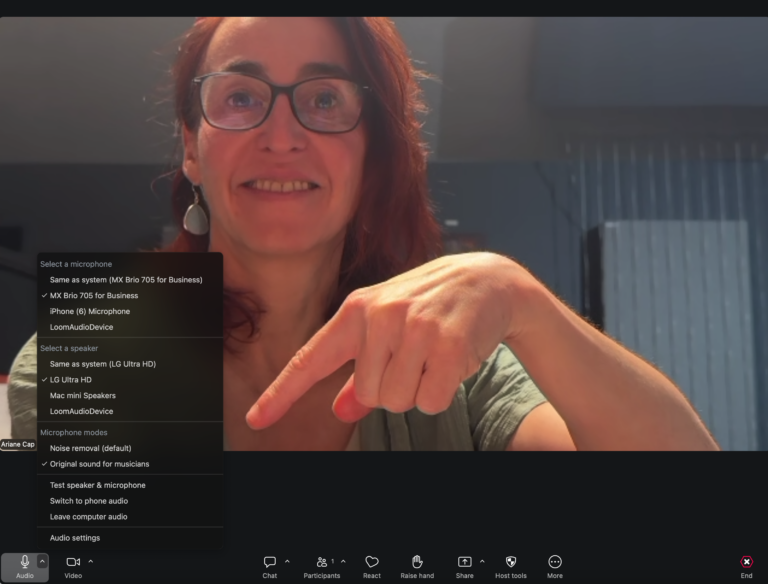
Zoom is optimized for speech and trying to be “helpful” (not helpful!) by eliminating all this background noise (ie bass, music, jam tracks!). [The GALL, zoom, really!]
By telling it that we are doing music here and don’t want the “help”, we can hear the instruments, metronome and jamtracks.
Zoom will remember the preset from the audio settings between meetings;
A few more tips:
Videos • Tips • Practice Hacks • Transcriptions